case study

Ziggy

Designing a Calm, Context-Aware AI Home Assistant

RoleProduct Designer
Timeline8 Weeks
DomainAI / Smart Home / Interaction Design
ToolsFigma, 3D Modeling, Motion Prototyping, Research Interviews, System Mapping
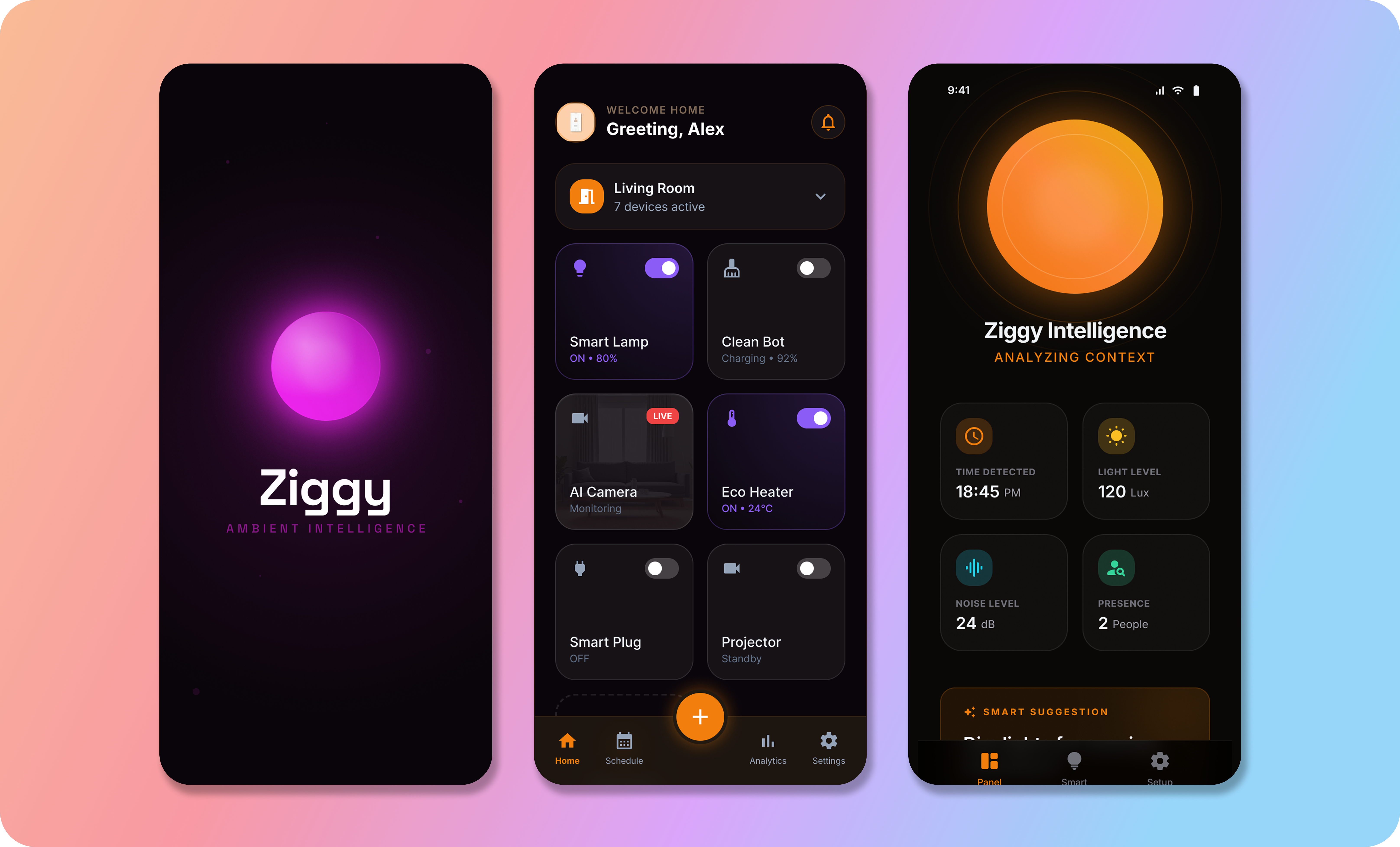
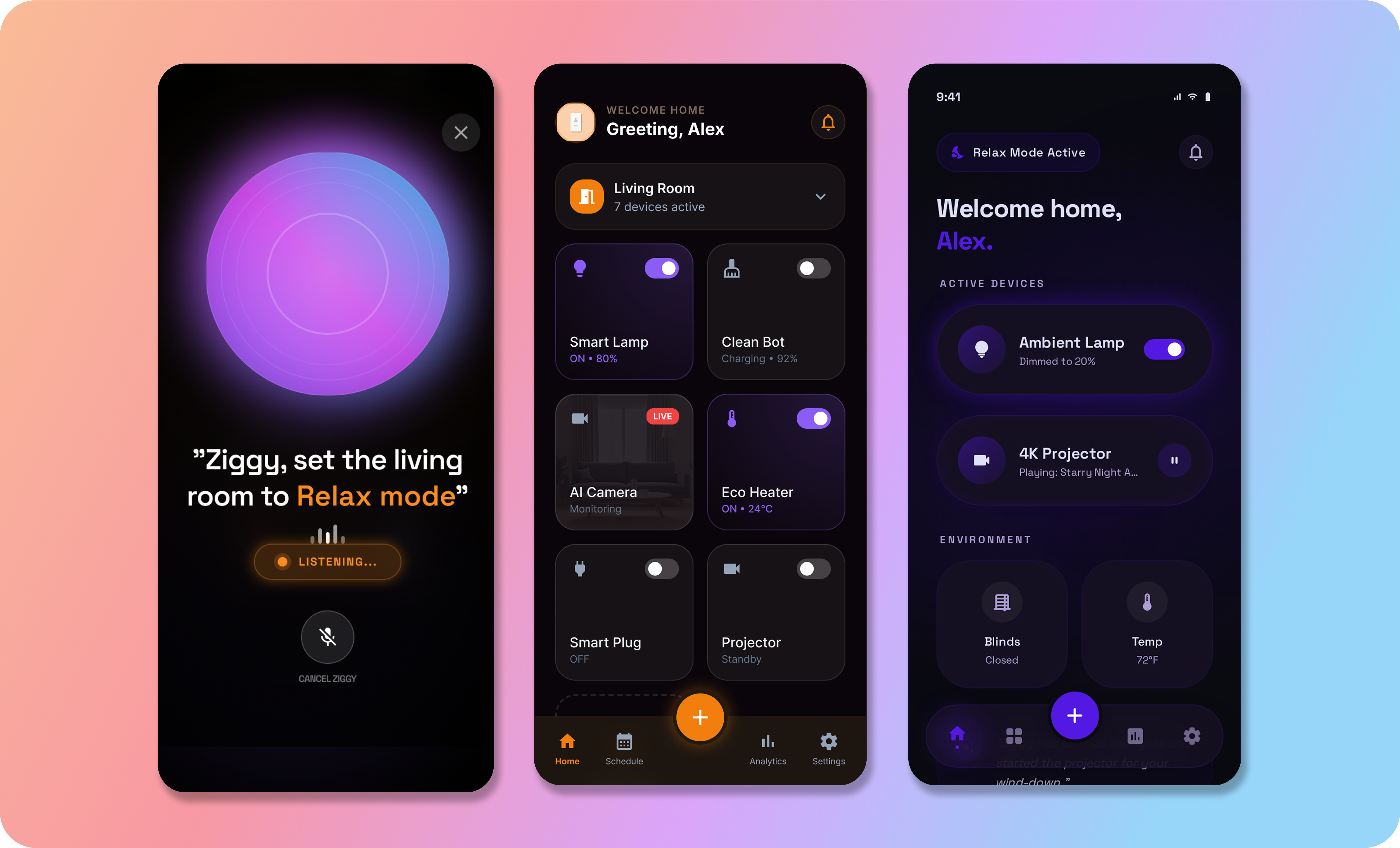
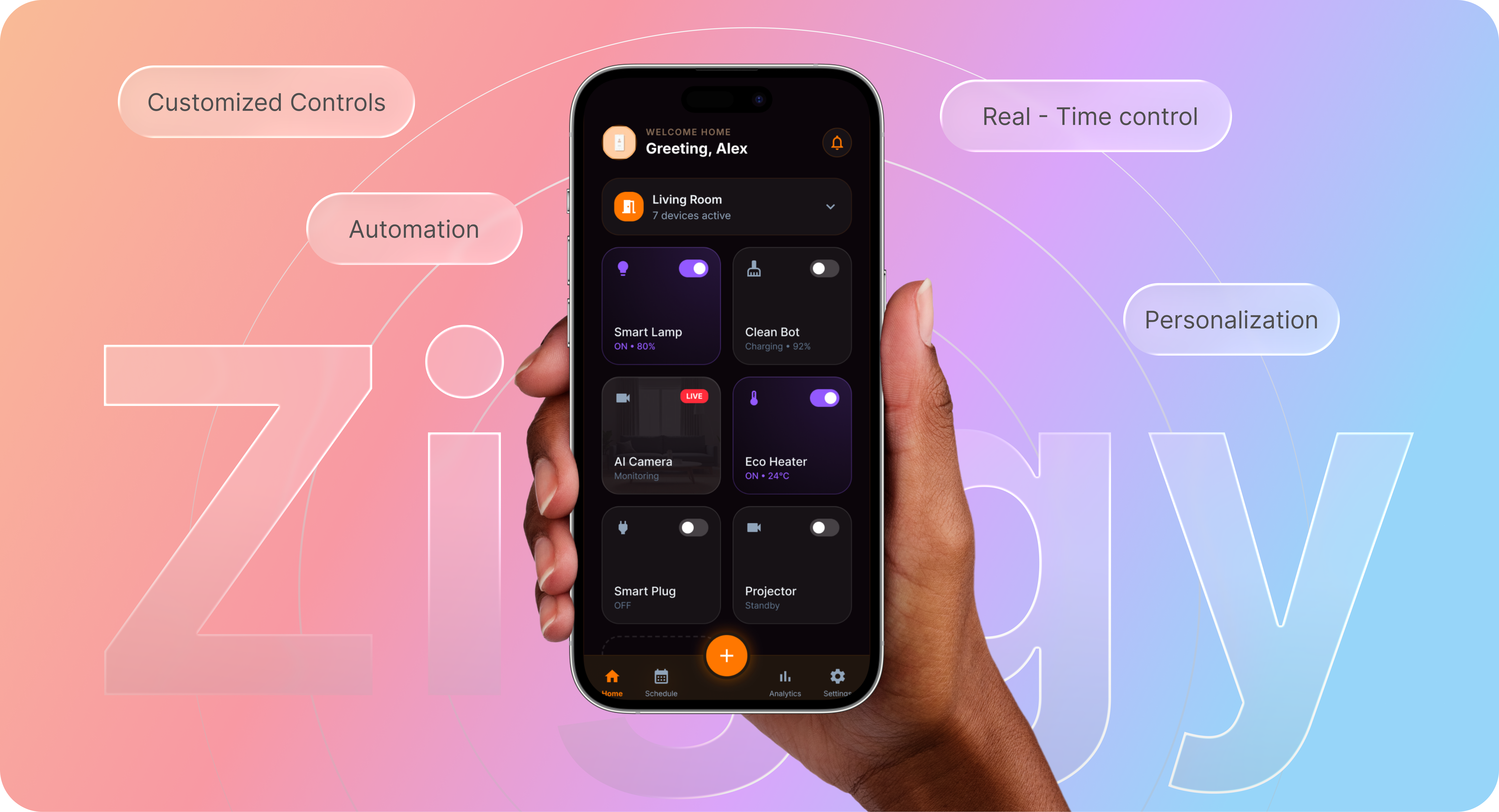
Ziggy smart home app – welcome home interface with device controls

Background

Smart assistants today are reactive tools. They respond when spoken to, but rarely understand context, emotion, or environmental nuance.

Homes are dynamic spaces. Noise levels shift. Lighting changes. Multiple users coexist. Yet most assistants treat every moment the same.

Ziggy was designed as a context-aware AI companion, one that adapts quietly to space, behavior, and presence rather than demanding attention.

The Challenge

Through research and workflow mapping, three friction patterns became clear:

  • Assistants interrupt rather than blend into the environment
  • Voice-only interaction limits accessibility and nuance
  • Smart home control is fragmented across apps and devices

The deeper issue wasn't functionality. It was cognitive friction and emotional disconnect.

My Objective

To design a physically embodied AI assistant that:

  • Understands spatial and behavioral context
  • Communicates visually, verbally, and ambiently
  • Reduces command-based interaction
  • Feels calm, trustworthy, and non-intrusive

The Solution

Ziggy transforms smart home interaction from command-based control to context-aware assistance.

It senses environment, behavior, and presence before responding, combining ambient light cues, subtle motion, and optional voice into one unified system.

Result: fewer interruptions, less friction, and a calmer, more intuitive home experience.
Process Methodology

Architectural efficiencythrough intelligent integration

A breakdown of the key decisions shaping Ziggy's core experience.

How I used design to move faster

01

Discovery & Research

User research and voice-interaction mapping for the device experience.

02

Concept & Architecture

Information architecture and conversation flows for voice-first interactions.

03

3D & Visual Design

3D design and branding aligned with the product identity.

04

Prototyping & Validation

Prototyping and testing with users to validate the experience.

Strategic Execution

Decisions & Impact

A breakdown of the key decisions shaping Ziggy's core experience.

Decision 01

Ambient-First Interaction (Not Voice-First)

Why

Voice-only systems fail in noisy environments and feel transactional.

Options explored

Voice-only assistant · Screen-dominant assistant · Hybrid ambient + voice + subtle visual cues

Final solution

Ziggy communicates through soft light pulses, micro-movements, and contextual visual indicators; voice becomes secondary, not primary.

Impact

Reduced interruption. Increased emotional warmth. Interaction becomes optional, not forced.

Trade-off

More design complexity in motion language and signal clarity.

Ambient-first interaction
Decision 02

Context-Aware Intelligence Layer

Why

Static responses ignore environment variables like time, presence, and routine.

Options explored

Rule-based automation only · Cloud-triggered commands · Context engine combining behavior + environment + intent

Final solution

Ziggy processes environmental signals (time, room lighting, proximity, usage history) before responding.

Impact

More relevant outputs. Fewer redundant commands. Feels anticipatory rather than reactive.

Trade-off

Requires structured state handling and fallback clarity.

Context-aware intelligence layer
Decision 03

Unified Smart Control Interface

Why

Users juggle multiple apps to manage lights, temperature, and media.

Options explored

Redirect to third-party apps · Basic toggle UI · Integrated command + preview + state feedback

Final solution

Single interaction loop: Intent → Context Preview → Confirm → Execute → Ambient Feedback

Impact

Reduced switching. Clear state awareness. Confidence in what the system is doing.

Trade-off

Higher system integration mapping during design phase.

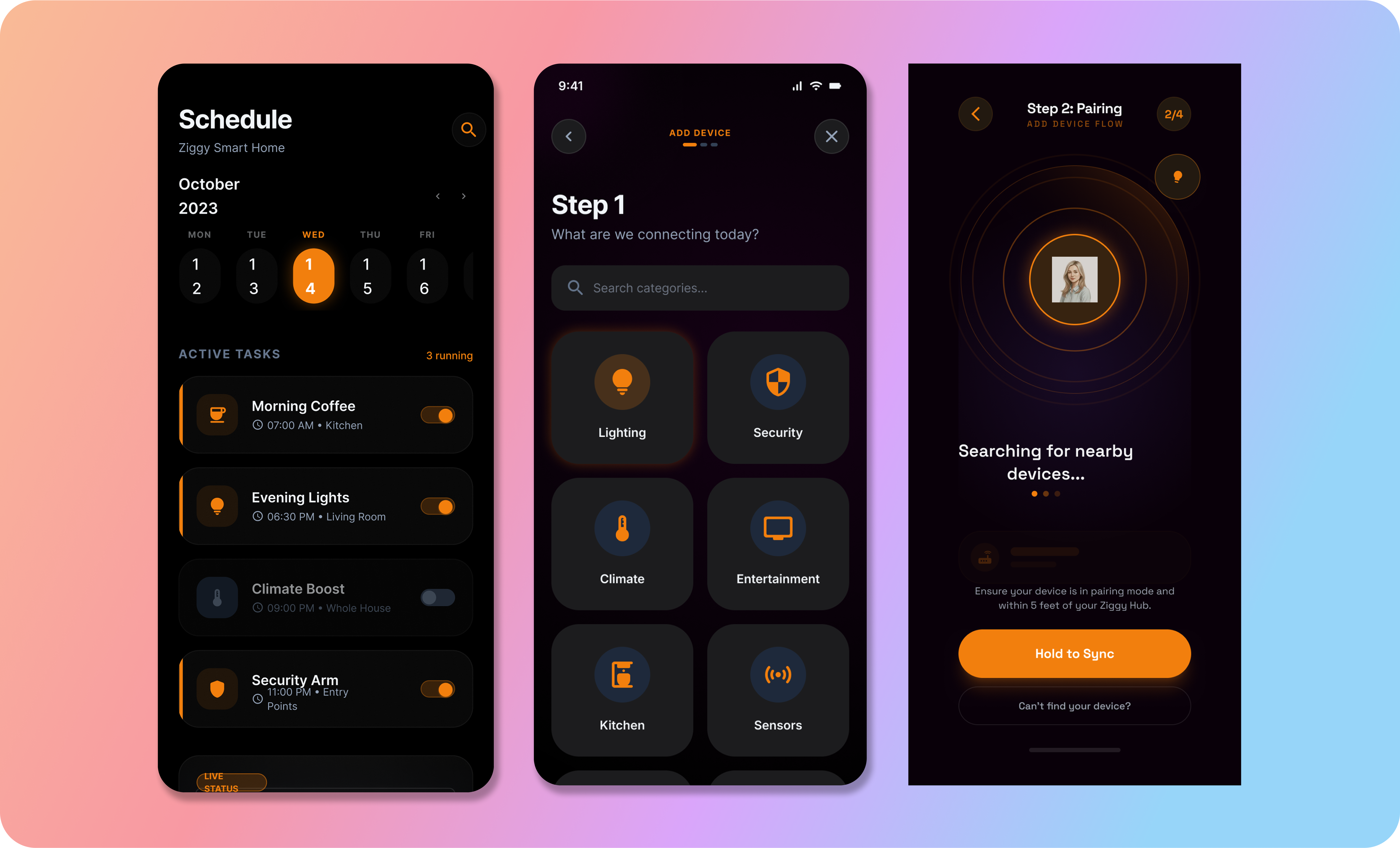
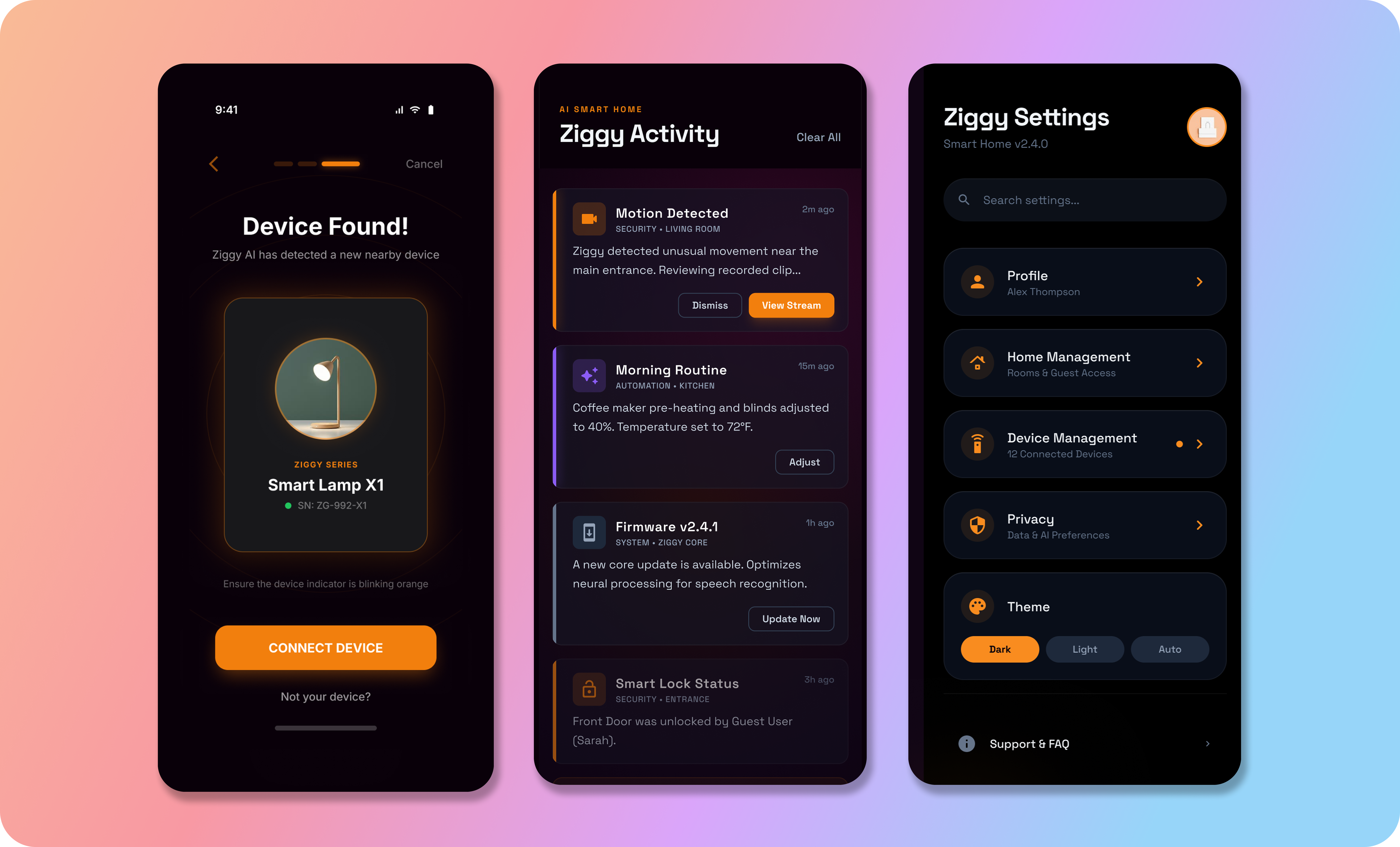
Unified smart control interface
Decision 04

Emotional UX Through Form & Motion

Why

AI products often feel mechanical and cold.

Options explored

Static cylindrical speaker · Screen-first device · Soft, curved, expressive form with light-based feedback

Final solution

Ziggy uses a calm, curvy form language with subtle glow transitions reflecting system state.

Impact

Trust increases through visual softness and predictable motion.

Trade-off

Balancing expressiveness without distraction required multiple motion density tests.

Emotional UX through form and motion

Validation

Quick scenario testing across:

  • Multi-person room simulations
  • Bright vs dim lighting conditions
  • Background noise environments
  • Repeated command behavior

Outcome

Ziggy reduced unnecessary voice interactions and improved perceived "intelligence" through anticipatory cues rather than reactive responses.

I ship clean, scalable UX that respects constraints and delivers measurable outcomes.